
Lay out your first 5×5 connection. All dimensions are in millimetres. Use the mechanical specification for the complete rules and open points.
Check a simple connection and its fit before printing a full assembly. The standard is still a draft, and printer results can vary.
Choose the bar and screws#
Use a nominal 5 × 5 mm square bar and 2 mm screws. The first rod screw-point centre is exactly 2.5 mm from its end; further valid centres are on a 2.5 mm grid: 2.5, 5, 7.5, 10 mm and so on.
Lay out the connection grid#
Set the component midpoint to x = 0. Put the first nominal rod/socket centre at x = −10 mm. Continue rightwards on the draft's 10 mm centre-to-centre pitch: −10, 0, 10, 20 mm.
The draft interprets the spacing rule as a 5 mm clear gap between 5 mm rods. This interpretation remains an open point in the specification.
Centre the body and expand its sides#
Keep every connector and notch at its nominal 5 mm grid position. If the body is too small or its dimensions prevent alignment, expand the sides until the connections align. Centre the component between those sides, with equal left/right and top/bottom allowances; do not shift a connector off-grid to make an existing body fit.
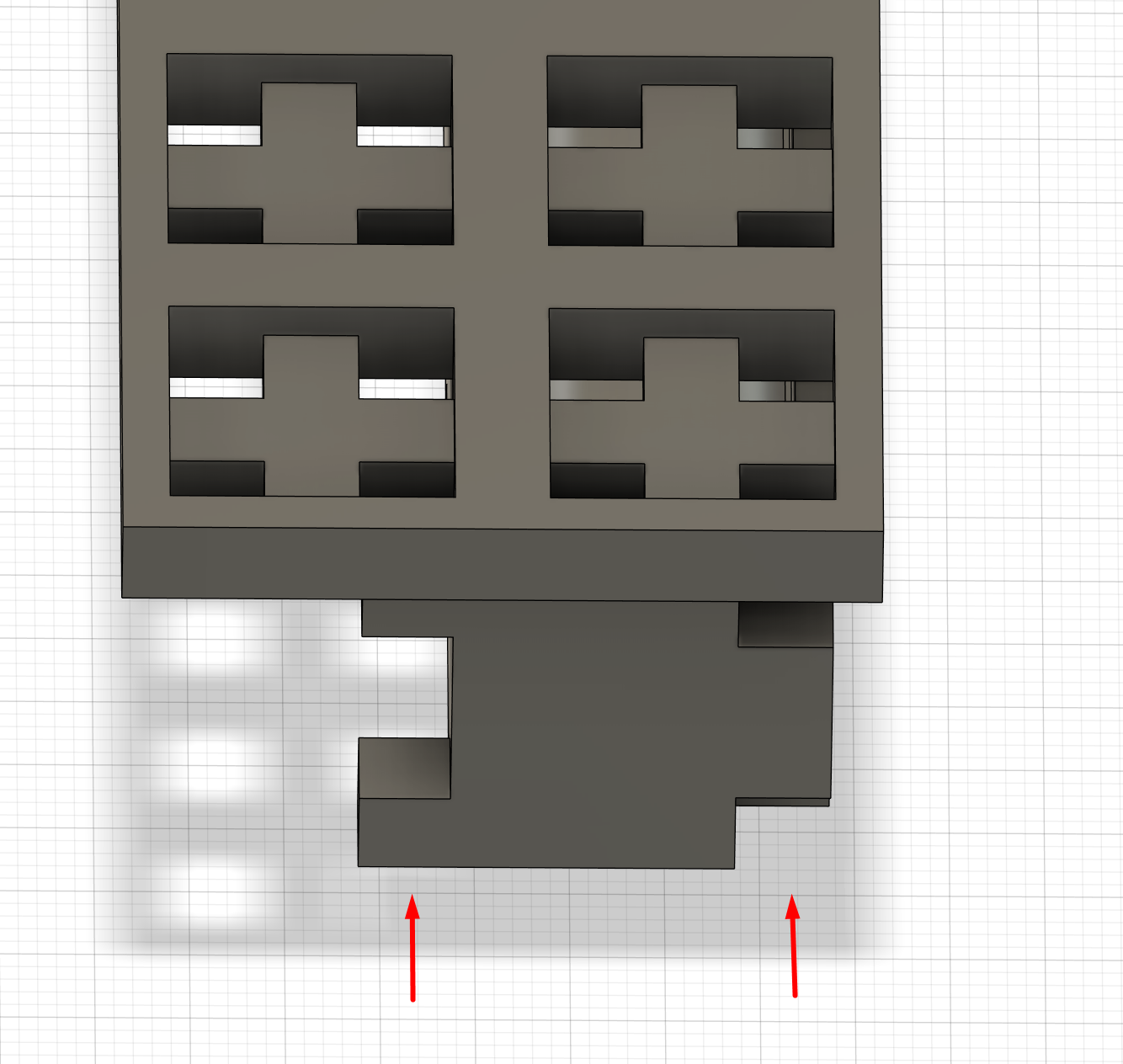
This is the nominal layout rule. The limited flat-printing exception below affects local assembled fit, not the nominal grid positions.
Negative example: do not anchor the item at the top-left#
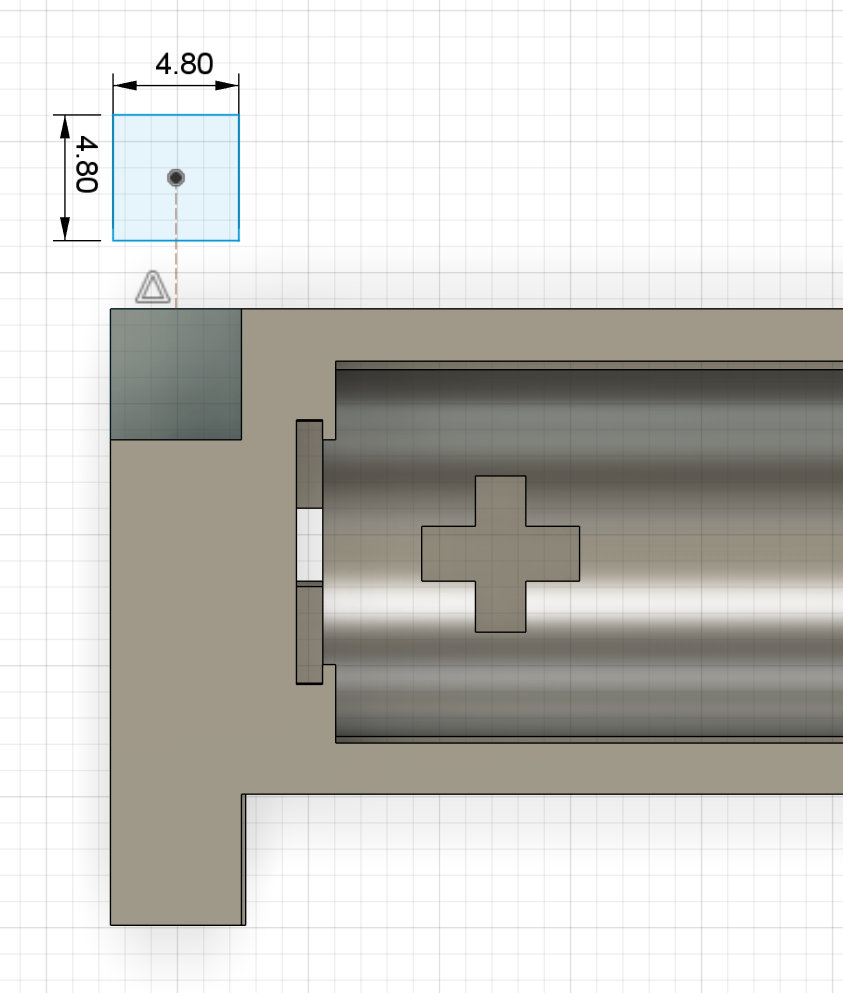
After enlarging a holder to fit the grid, re-centre the item inside and its cavity or mount. In the example below, the item is biased toward the top and left. Keep the outer connections fixed and adjust the interior until left = right and top = bottom for the opposing margins.
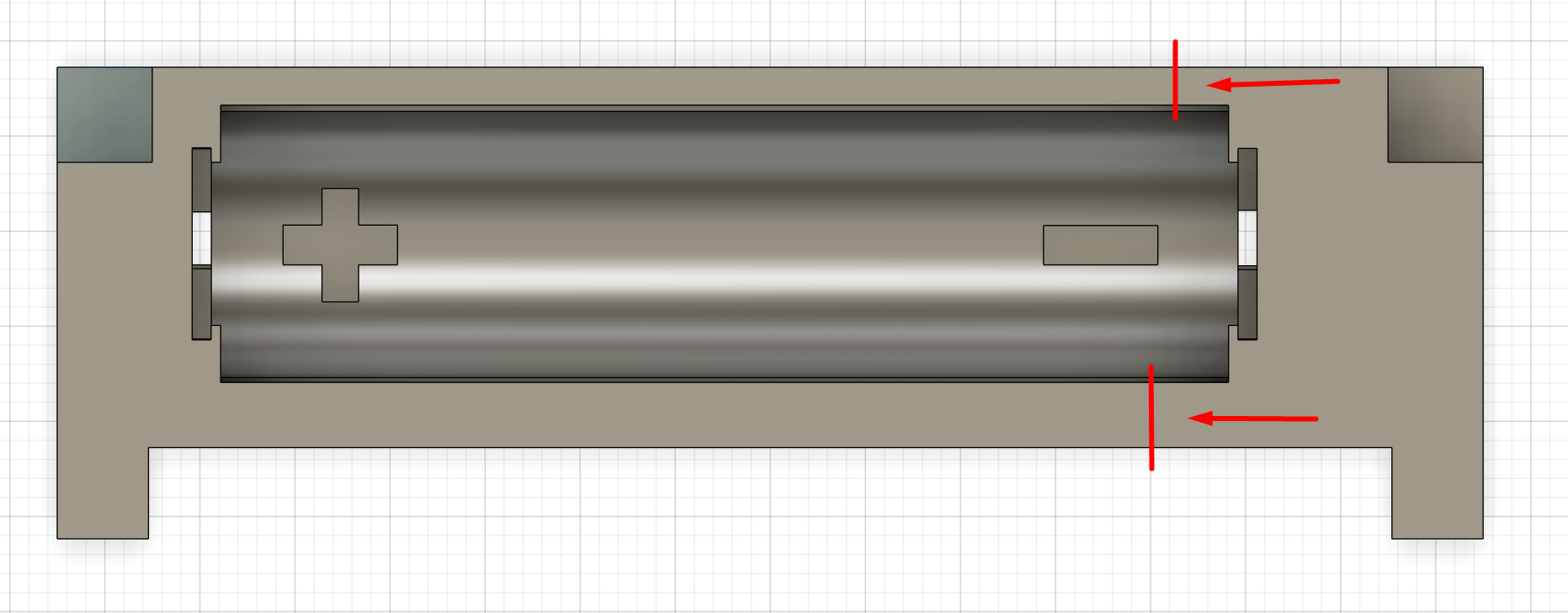
By default, notches, sockets and connectors share the same grid centre. Keep receiving holes fixed on the 5 mm grid and put clearance only on connectors, equally on all sides; earlier instructions to left-align or add all clearance to the right or downward no longer apply. Rightward grid layout describes centre positions, not clearance direction. A limited exception for an edge-aligned notch is described below.
Choose notches or a fitting hole#
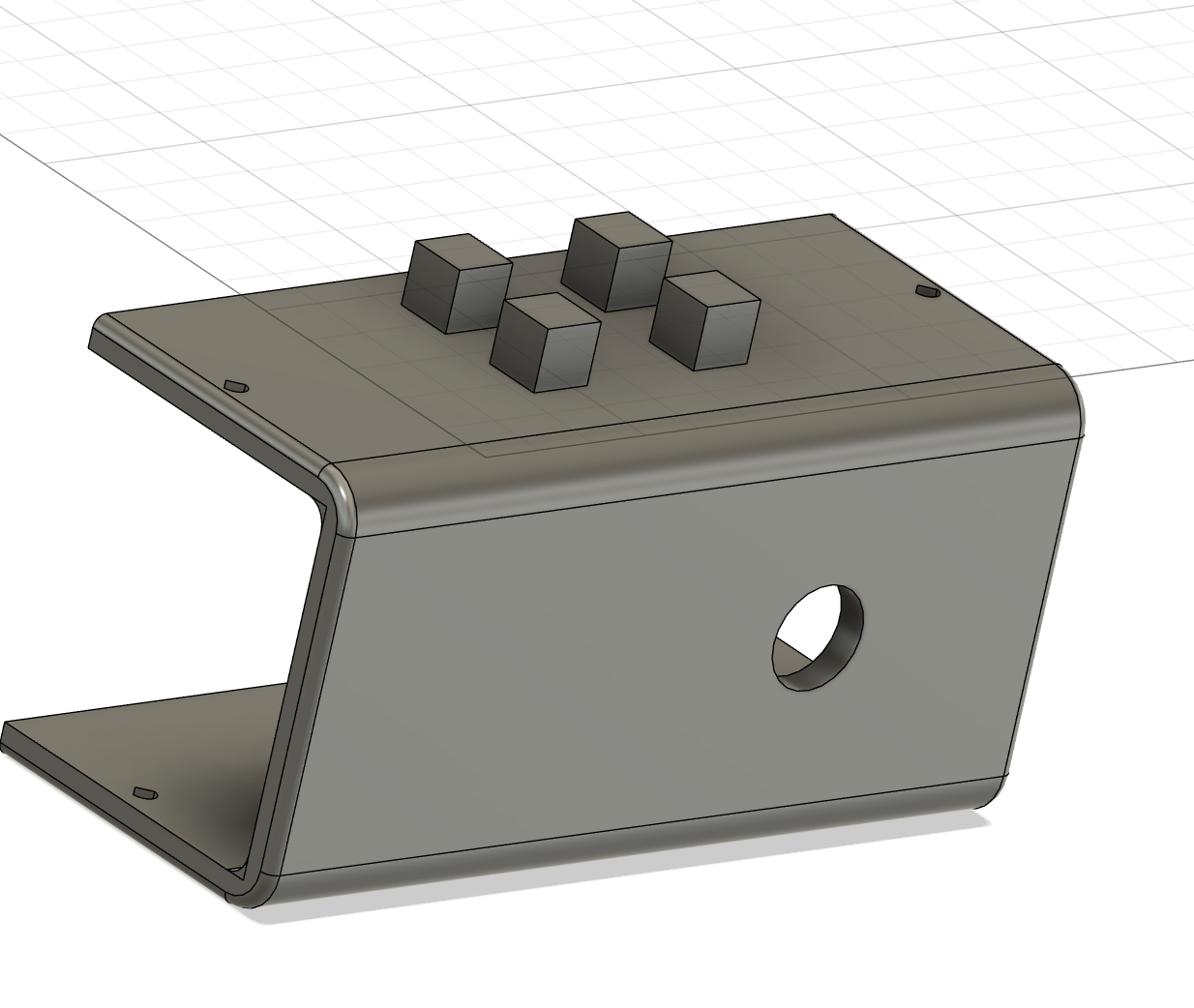
A component can connect to the grid using notches or a fitting hole. The fitting-hole layout has a nominal 15 × 15 mm envelope, with four nominal 5 × 5 mm corner features around the central cross-shaped opening. Make the fitting hole 2 mm deep, measured inward from the receiving surface; this is separate from bar-socket engagement depth. Keep the features on the shared 5 mm grid and apply the usual centred-clearance rules to the mating geometry.
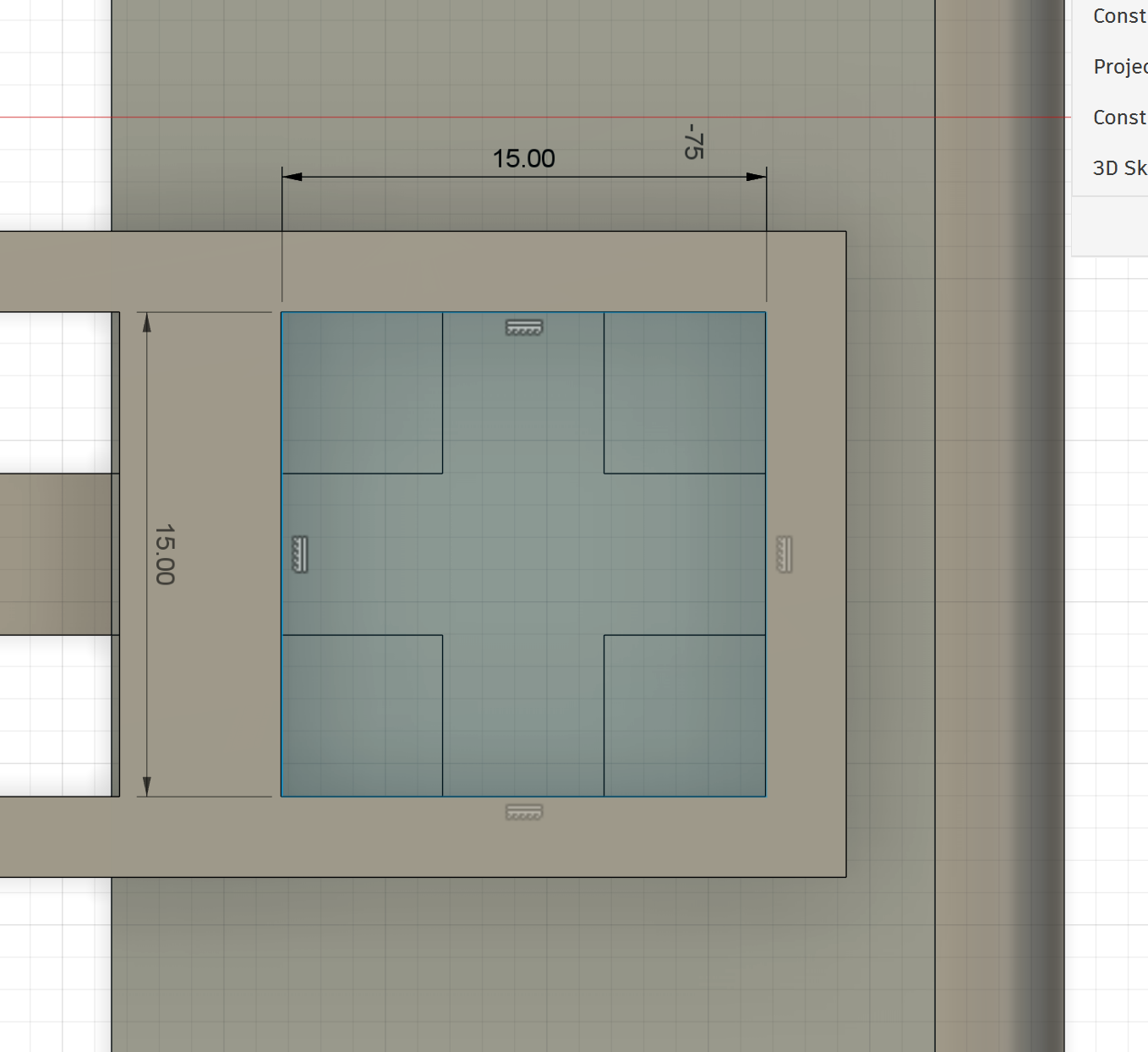
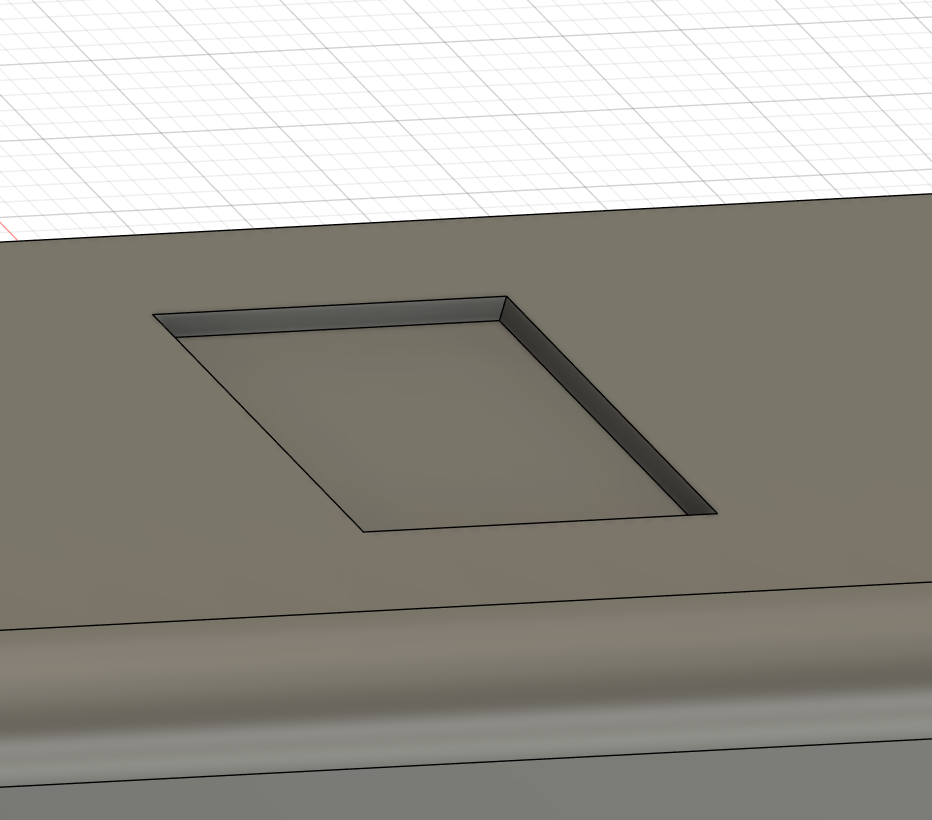
Align notches and printed connectors#
On any shape, separated notches or connectors must have centre-to-centre spacing in multiples of 5 mm. Keep notch centres exactly on the 5 mm grid. The 10 mm holder pitch above uses every second grid position.
Centre a 3D-printed connector on its notch and keep its cross-section no larger than 4.8 × 4.8 mm. Sketch outwards from the notch centre: 2.4 mm in each direction. Never measure 4.8 mm inward from one notch edge.
A 4.8 mm connector in a nominal 5 mm notch leaves 0.1 mm clearance on every side; a 4.6 mm connector in the same fixed 5 mm opening leaves 0.2 mm on every side. Under the default rule, neither allowance moves the connection centre.
Edge-aligned notches for flat printing#
When a notch meets an outside edge, you may remove clearance from the bottom of the mating connector to keep a flat print face. The receiving notch must keep its fixed grid dimensions and position. Keep horizontal alignment centred and printed connectors within the 4.8 mm width and height limit.
This can shift the assembled component slightly off its nominal grid position. Record the relief and resulting offset, and check there is enough room for the part to fit and be inserted without interfering with nearby faces or other connections. Keep centred clearance everywhere else.
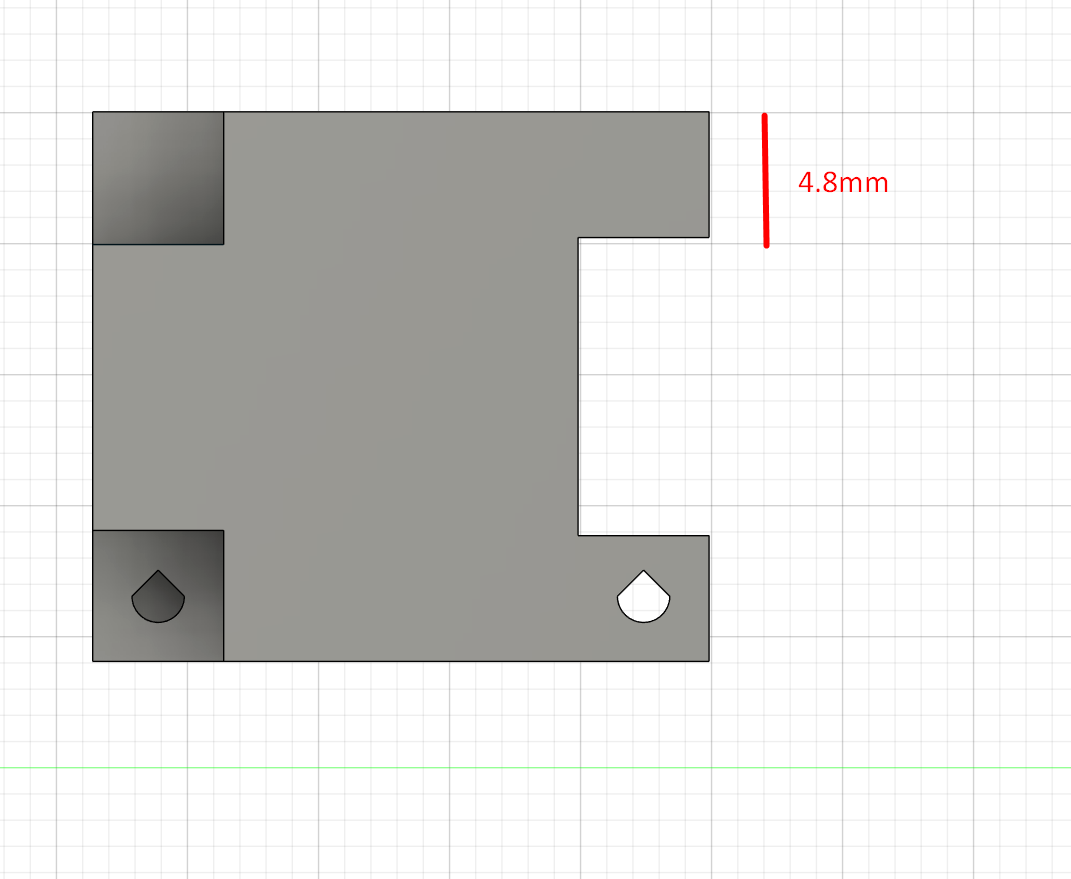
Read the full exception and fit checks →
Keep receiving holes fixed; vary connectors only#
Receiving holes, sockets and notches always follow the fixed 5 mm grid. A receiving cell stays 5 × 5 mm; do not enlarge, shrink or shift it for clearance. The 15 × 15 mm fitting-hole layout uses whole 5 mm cells. This supersedes the earlier 5.3 mm opening-width rule.
Centre the mating connector on the receiving cell, then reduce only the connector: 4.8 × 4.8 mm leaves 0.1 mm per side; 4.6 × 4.6 mm leaves 0.2 mm per side. If the hole spans 5 to 10 mm, a 4.6 mm connector spans 5.2 to 9.8 mm, sharing its 7.5 mm centre. Apply this in both axes.
Dimension from the matching hole centre. At 10 mm centre spacing, two centred 4.6 mm connectors have a 5.4 mm gap; this is not a receiving-hole dimension. Even the edge-aligned printing exception changes only the connector. The separate fitting-hole and blind-socket depth rules remain unchanged.
Set depth and front alignment#
Use 10 mm nominal engagement as the preferred starting point, leaving room for a fillet. A 5 mm nominal option is also allowed. Blind sockets add 0.3 mm beyond the bar end: 10.3 mm actual depth for 10 mm engagement, or 5.3 mm for 5 mm engagement.
Align the front faces of components using the same 10 mm nominal depth.
Keep the screw centres fixed#
A block is 5 mm high overall. A plate-mounted version uses a 1 mm plate plus a 4 mm extrusion. In either case, hole centres stay 2.5 mm above the overall bottom and 2.5 mm from the side.
Fasten blocks with screws. Choose a length that reaches through the wall, including long screws when needed, rather than reshaping the part solely to fit a shorter screw.
Route the cabling underneath#
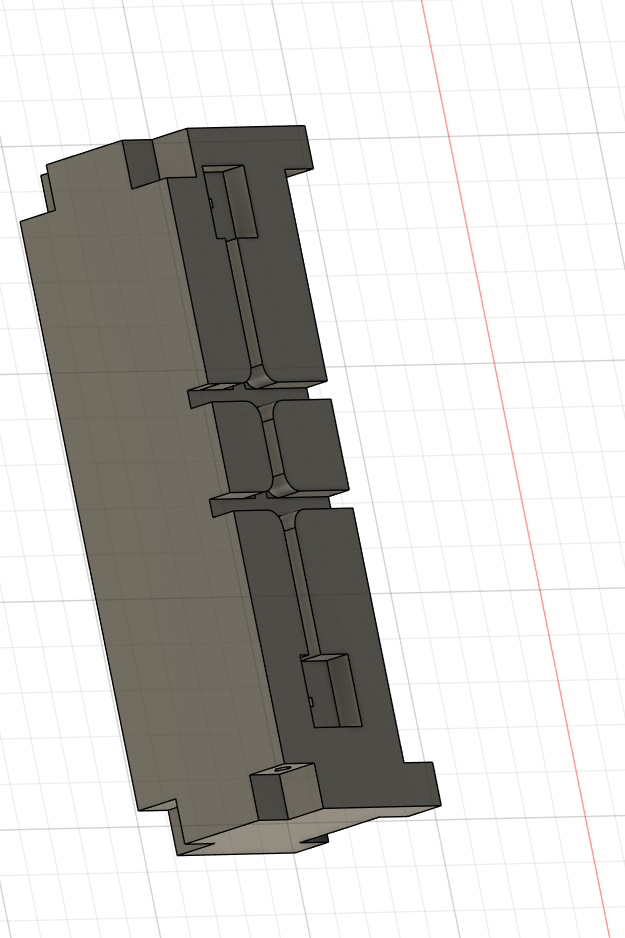
Make cable channels 3 mm deep and 2 mm wide. Ideally, cut them into the bottom face that will rest on the printer bed. Measure depth inward from that face and width across the cable route; these dimensions are separate from the connection socket depth.
Plan the print orientation#
Identify the face that rests on the print bed. Minimise supports, use through-holes where possible and orient teardrop relief for printing. Square sockets must preserve the specified bar fit.
Continue with the full standard#
Read all mechanical rules and dimensioned examples →
Download printable parts or describe an assembly with structure notation.